Contact Details Page - Upgrades & Improvements
If you spend any real time inside contact records, you are going to notice some changes. The platform just rolled out a solid set of updates to the contact detail page that give you a lot more control over how your workspace is laid out and what information is front and center when you pull up a contact.
Here is a breakdown of everything that changed!
Resizable Panels
The left panel is no longer locked to a fixed narrow width. You can now drag and resize panels to fit however you prefer to work. If you want more room to see contact details without scrolling, expand the panel. Simple, but it makes a real difference day to day.
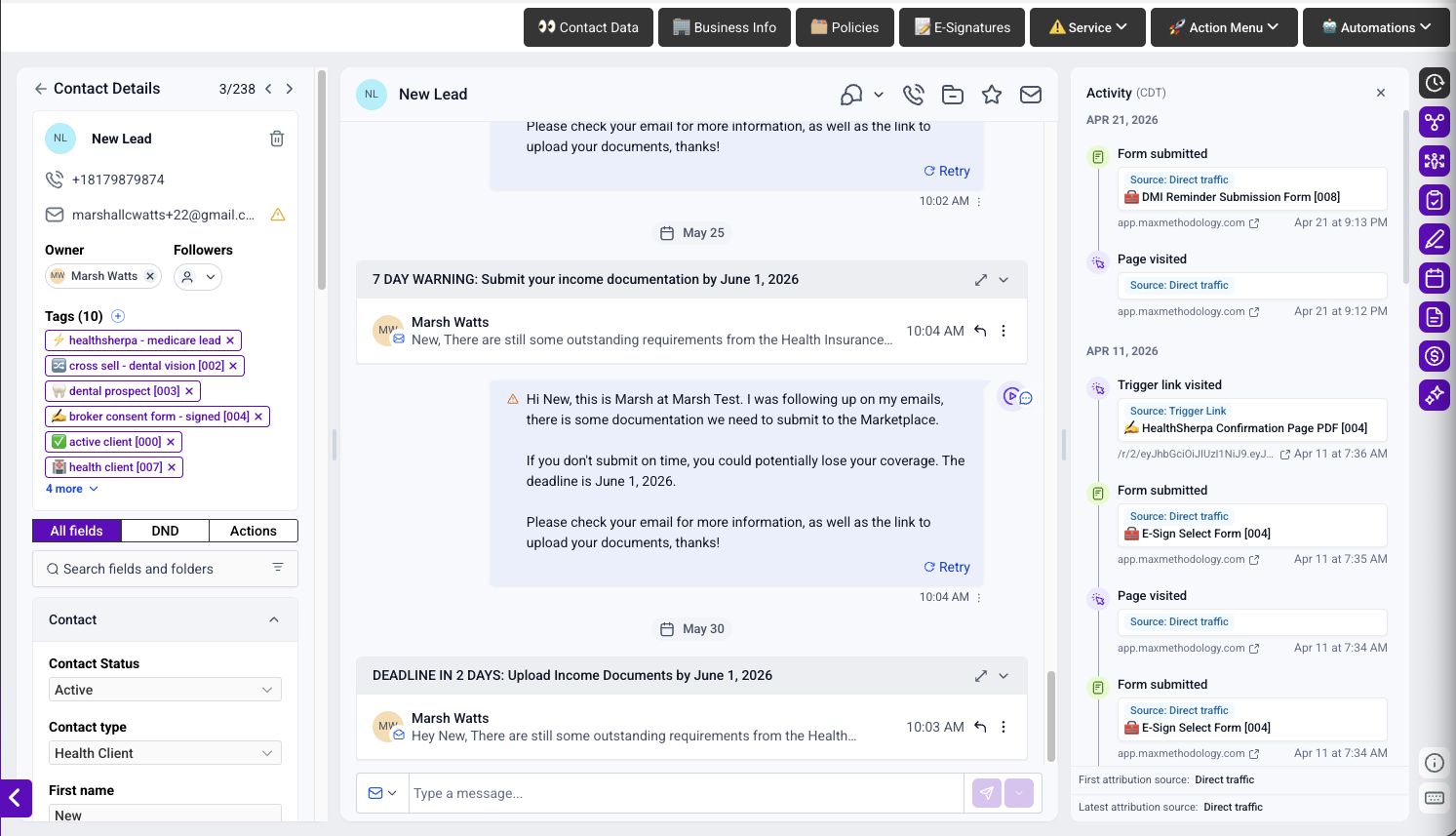
Owners and Followers Are Now Independent
Previously, Owners and Followers were grouped together on the contact card. Now you can manage them separately. Want to show only the Owner? Done. Want both? Done. Want neither cluttering up the card? You can do that too. This gives you cleaner, more intentional control over what shows at the top of a contact record.

Pin Custom Fields to the Contact Card
This one is big for health insurance agents. You can now select up to two custom fields and have them display directly on the contact card for instant visibility. Fields like FFM ID, plan type, or effective date no longer require you to dig into a tab to find them. Note that these fields are read-only in the card view. To edit values, you will still go to the All Fields tab.

Choose Where Tags Live
Tags used to be fixed to the contact card. Now you can move them to the center panel if you prefer, or keep them where they were. If your tags are getting in the way of other information you need to see quickly, this gives you the flexibility to reorganize.

Rename and Reorder Tabs
The Actions tab and All Fields tab can now be renamed to whatever makes sense for your team's workflow. You can also reorder tabs so the most-used ones are first. If your team calls "Actions" something else internally, now the CRM can reflect that.

Dynamic Tabs Expand by Default
Any module placed inside a Dynamic Tab will now be open and visible by default when the tab loads. No more clicking to expand. Whatever you put inside a Dynamic Tab, your team sees it immediately.
What Is Coming Next
The team has a few things still in development on this front, including the ability to place the same module in more than one panel, user-level permissions for customized views, and an update that will open the platform email composer instead of the system default when clicking the email icon on a contact.
These are not live yet, but worth knowing they are on the way.